New · Community leaderboard

See how hard your Agent is working.

Live gauge, runaway-context alarm, and your usage patterns. Without your data leaving the machine.

Install on Mac  ⇩

✓  Open source · Builds locally · Claude Code and Codex Desktop on macOS

Terminal

curl -fsSL https://tokenwidget.app/install.sh | bash

Paste into Claude Code

Install Token Widget on this Mac: clone https://github.com/SergioChan/token-meter.git and follow INSTALL_WITH_AGENT.md

From source

git clone https://github.com/SergioChan/token-meter.git && cd token-meter && npm run claude:install
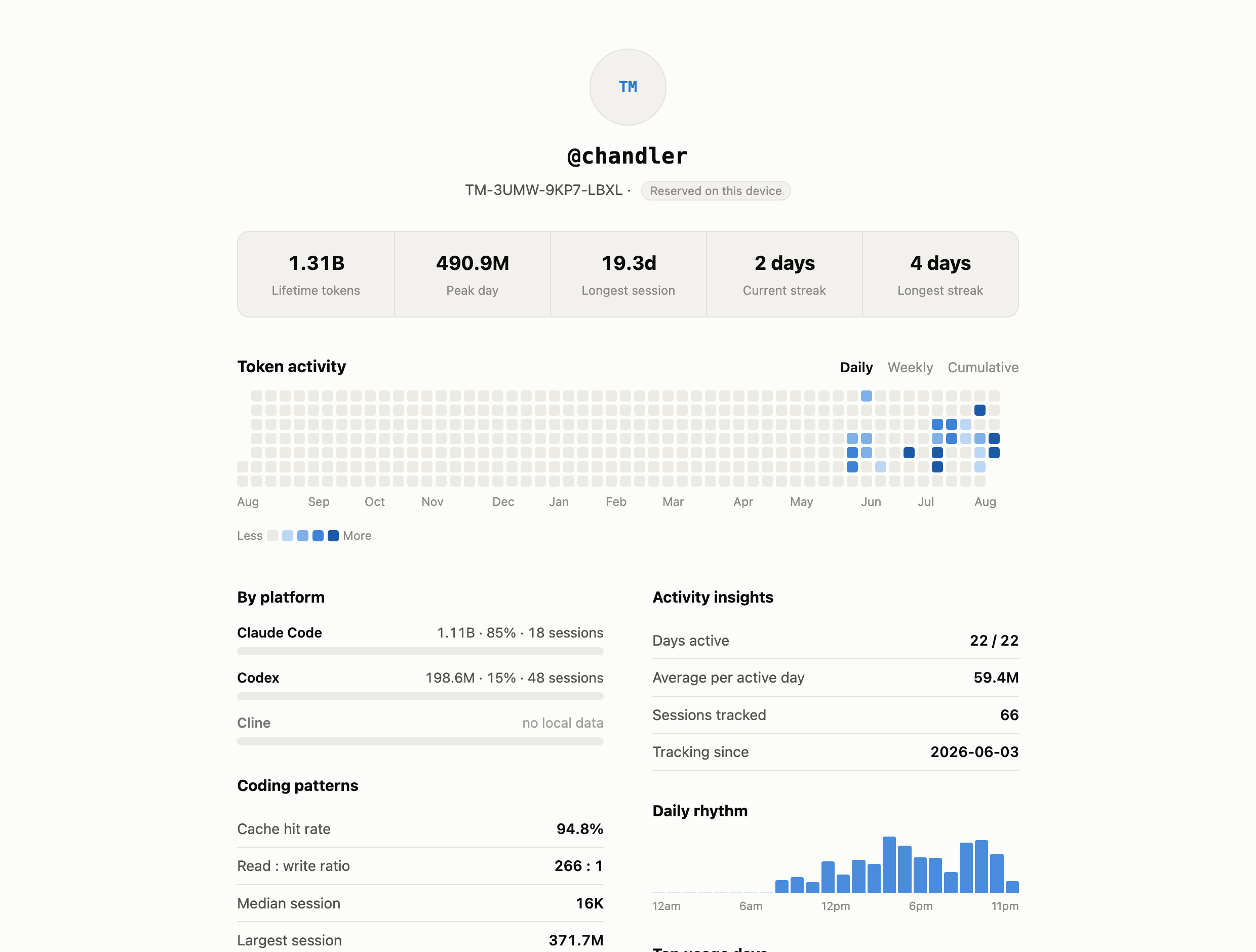
Personal usage dashboard: lifetime tokens, streaks, token activity calendar, platform breakdown, cache hit rate
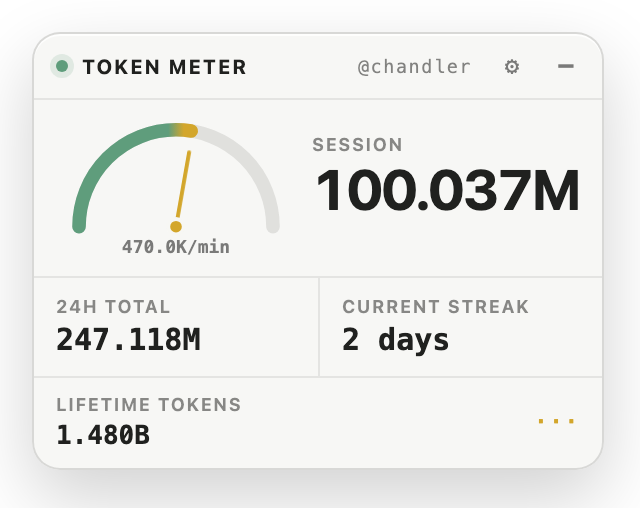
The meter: live gauge, session total, 24-hour total, streak, lifetime tokens
Live telemetry

A needle, not a percentage

Tokens per minute against your own baseline. Red means this turn costs several times your normal.

Anomaly alarm

Catches runaway context

Flags context pollution, retry loops, and agent spirals before they eat another turn.

Identity

Your @handle and dashboard

Claim a handle. Click it for your calendar, streaks, cache hit rate, and platform breakdown.

Privacy

Private by default

Computed on your laptop. Sharing is opt-in and limited to signed totals — never content.

Up and running in two minutes

  1. Install — run the command above; the companion builds locally on your Mac.
  2. Grant Accessibility — one macOS permission, once.
  3. Work — the gauge appears with your session. Click @your-handle for the dashboard.

Local-first, verifiable

Token Widget reads identifiers, timestamps, and token counts — never message content. It never patches the host apps. Open source: read every line.